9 Tips for Storing Your Office Files
Organising and storing office files efficiently can save time and reduce stress. Knowing how to store files properly ensures they remain accessible and secure. This guide offers nine practical tips for storing office files, helping you maintain an orderly workspace. At Cargill Removals, we believe in providing solutions that make your work environment more organised and efficient.

9 Tips for Storing Your Office Files
Understanding the Importance of File Organisation
Proper file organisation keeps your workspace tidy and makes it easy to find documents when needed. A well-organised office boosts productivity and reduces the frustration of searching for misplaced files. Knowing why organisation matters helps you stay motivated.
Creating a Filing System
Design a filing system that suits your needs. Categories files into broad categories like finances, client records, and correspondence. A clear filing system saves time and ensures you can locate documents quickly.
Using Labels Effectively
Labels play a crucial role in file organisation. Label each file and folder clearly to indicate its contents. Colour-coded labels add an extra layer of organisation, making it easy to identify files at a glance.
Digital vs. Physical Storage
Consider the benefits of digital storage versus physical storage. Digital storage saves space and allows for easy access from anywhere, while physical storage keeps important documents tangible and secure. Choose the best method for your needs or use a combination of both.
Choosing the Right Storage Solutions
Select storage solutions that fit your office space and filing needs. Options include filing cabinets, shelves, and digital storage systems. The right storage solutions keep your office organised and your files accessible.
Implementing a Document Management System
A document management system helps streamline file storage and retrieval. These systems organise, store, and track documents, making it easier to manage large volumes of files. Implementing such a system improves efficiency.
Regularly Updating Your Filing System
Keep your filing system up-to-date by regularly reviewing and updating files. Remove outdated documents and add new ones promptly. Regular updates prevent clutter and ensure your filing system remains efficient.
Securing Confidential Files
Security is crucial for confidential files. Store sensitive documents in locked cabinets or use encrypted digital storage. Secure storage protects your files from unauthorised access.
Backing Up Digital Files
Back up digital files regularly to prevent data loss. Use cloud storage or external hard drives to create backups. Regular backups ensure you don’t lose important information in case of a technical failure.
Additional Tips for Storing Your Office Files: 9 Tips for Storing Your Office Files
Organising Files by Date
Arrange files by date to keep track of timelines. Use data labels or organise files within folders chronologically. This method helps in quickly locating documents related to specific time periods.
Additional Tips for Storing Your Office Files
Using Folders and Subfolders
Folders and subfolders add structure to your filing system. Group related documents within folders and create subfolders for more specific categories. This hierarchy makes navigation easier and keeps files organised.
Implementing a Naming Convention
Adopt a consistent naming convention for your files. Use clear and descriptive names that indicate the file’s contents. A consistent naming system makes it easier to find and sort documents.
Purging Unnecessary Files
Periodically purge unnecessary files to keep your system clutter-free. Dispose of outdated or irrelevant documents. Regular purging maintains the efficiency of your filing system.
Using File Dividers
File dividers help separate and categorise documents within a folder. Use dividers to create sections for different types of files. This simple tool enhances organisation and makes it easier to locate specific documents.
Storing Files Vertically
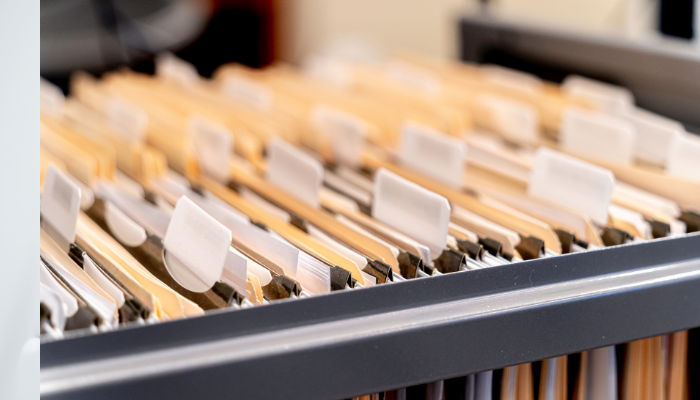
Store files vertically in filing cabinets or storage boxes. Vertical storage saves space and makes it easier to access files. This method also prevents documents from getting damaged.
Digitising Physical Documents
Digitise physical documents to save space and improve accessibility. Scan important papers and store them digitally. Digitising documents ensures you have electronic copies that are easy to retrieve.
Managing Electronic Files
Organise electronic files just as you would physical ones. Create folders, use clear naming conventions, and back up regularly. Proper management of electronic files keeps your digital workspace tidy and efficient.
Using Cloud Storage
Cloud storage offers a convenient way to store and access files from anywhere. Services like Google Drive or Dropbox provide secure, accessible storage solutions. Cloud storage ensures your files are always available when needed.
Setting Up an Archiving System
An archiving system helps manage old or infrequently used documents. Store these files separately to keep your main filing system uncluttered. Archiving ensures that important documents are preserved without taking up active workspace.
Maintaining File Integrity
Ensure that files remain in good condition over time. Use quality storage materials like acid-free folders and avoid overcrowding. Maintaining file integrity protects your documents from damage.
Training Staff on File Management
Educate your team on proper file management practices. Clear guidelines ensure everyone follows the same system, maintaining organisation across the office. Training staff promotes consistency and efficiency.
Reviewing and Refining Your System
Regularly review and refine your filing system to ensure it meets your needs. Make adjustments based on feedback and changing requirements. Continuous improvement keeps your system effective.
Using Storage Boxes for Bulk Files
Store bulk files in sturdy storage boxes. Label the boxes clearly and organise them by category or date. Storage boxes help manage large volumes of documents efficiently.

Organising Files by Project
Group files by project to keep related documents together. This method simplifies tracking project progress and ensures all necessary information is easily accessible. The project-based organisation improves workflow.
Planning for Future Needs
Anticipate future storage needs and plan accordingly. Allow space for additional files and consider scalability when choosing storage solutions. Planning ahead ensures your system can accommodate growth.
Conclusion: 9 Tips for Storing Your Office Files
Organising and storing office files properly enhances productivity and reduces stress. By implementing these tips, you can maintain an orderly and efficient workspace. At Cargill Removals, we understand the importance of a well-organised office. Whether you use digital or physical storage, these strategies will help you keep your files secure and accessible. Embrace these practices to enjoy a more organised and efficient work environment.