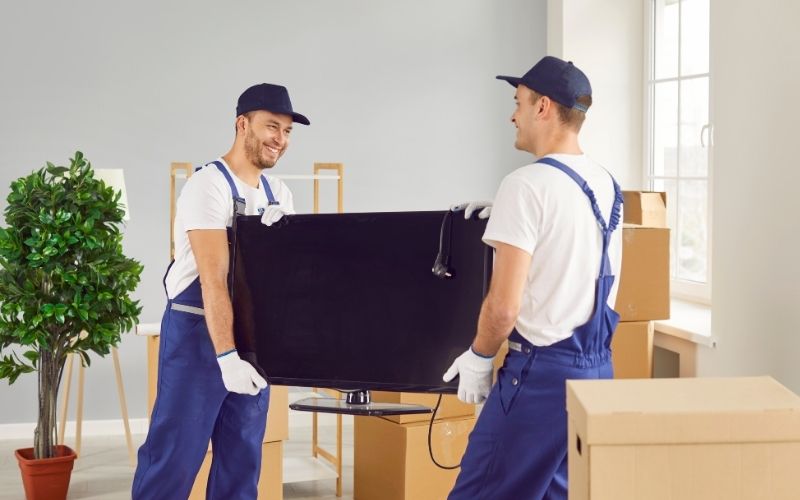
How to move IT equipment during an office relocation
How to Move IT Equipment During an Office Relocation: Complete UK Guide for 2026
Office technology often supports almost every important business function. Computers, monitors, servers, routers, switches, printers, telephones, storage devices, and specialist systems may contain valuable information and enable employees to communicate, process orders, serve customers, and complete daily work.
Knowing how to move IT equipment during an office relocation helps businesses protect valuable hardware, reduce avoidable downtime, maintain control over assets, and prepare technology for a successful return to operation.
Unlike ordinary furniture, IT equipment may require careful shutdown procedures, secure data backups, cable identification, anti-static protection, controlled handling, and systematic testing after installation.
Businesses should therefore treat IT relocation as a dedicated workstream within the wider office move.
Cargill Removals can support the physical movement of office technology as part of a structured commercial relocation, while internal IT teams or specialist technology professionals manage technical shutdown, configuration, data security, and reconnection responsibilities.

Why IT Equipment Needs Careful Relocation Planning
A poorly organised technology move can create expensive consequences. Hardware damage, missing cables, incorrect connections, data loss, and delayed network installation can prevent employees from returning to normal work.
Good preparation helps businesses maintain control throughout the relocation.
Protect Valuable Technology
Computers, monitors, servers, switches, printers, storage devices, and specialist systems often represent a substantial business investment. Protect each device from impact, pressure, dust, moisture, and unnecessary movement. Suitable packaging, careful handling, secure loading, and organised transportation can reduce avoidable risks while equipment travels between premises.
Reduce Business Downtime
Employees depend on computers, telephones, internet access, shared drives, printers, and internal systems. Delays in reconnecting technology can stop whole departments from working. A detailed schedule should identify shutdown times, transportation, installation, testing, and expected system availability so employees understand when normal operations can resume.
Protect Business Information
Physical relocation does not replace cybersecurity or data-protection procedures. Workstations, servers, and storage devices may contain financial records, customer information, employee data, and confidential files. Businesses should follow existing backup, access-control, encryption, and information-security policies before equipment leaves the original premises.
Step 1: Create a Complete IT Equipment Inventory
A detailed IT inventory provides the foundation for the entire technology relocation.
Businesses should know exactly which devices will move, where each device currently sits, and where it needs to go.
Record Every IT Asset
List desktop computers, laptops, monitors, servers, routers, network switches, printers, scanners, phones, external drives, docking stations, UPS units, and specialist technology. Record asset numbers, serial numbers where appropriate, current locations, destination rooms, assigned employees, and any handling requirements that may affect the relocation.
Photograph Complex Setups
Take clear photographs of complicated workstations, server racks, network connections, printers, and cable arrangements before disconnecting anything. These images provide a visual reference during reinstallation. Photographs can also complement written asset records and help IT personnel verify how equipment connected before the office move began.
Step 2: Back Up Important Business Data
Data protection should take priority before anyone disconnects equipment.
A successful hardware move cannot compensate for lost business information.
Verify Backups Before Shutdown
Follow the company’s existing backup procedures for servers, workstations, storage devices, and other important systems. Do not simply assume that automated backups have completed successfully. Verify critical copies where practical and confirm that authorised personnel understand the recovery procedure before the relocation starts.
Prepare a Recovery Plan
Create a clear response process for equipment failure, corrupted data, missing storage devices, or network problems. Identify who will make technical decisions if problems appear after installation. A recovery plan gives IT teams a structured way to respond instead of trying to develop solutions while employees wait to resume work.
Step 3: Plan the IT Shutdown Sequence
Businesses should never disconnect complex technology randomly.
Many systems depend on other devices, services, or network components.
Coordinate Shutdown With IT Professionals
Ask the IT team or technology provider to define the correct shutdown sequence for servers, network infrastructure, storage systems, and specialist devices. Record which systems need to remain active longest and which can shut down earlier. This approach helps protect data integrity and prevents accidental disruption to dependent services.
Notify Employees Before Systems Go Offline
Tell staff when computers, shared drives, internet services, phones, or business software will become unavailable. Employees can save work, complete urgent tasks, and prepare for temporary downtime. Clear communication reduces confusion and prevents workers from expecting access to systems that the IT team has intentionally disconnected.
Step 4: Label Every Device, Cable, and Accessory
Poor labelling creates unnecessary delays when technology reaches the new premises.
A consistent identification system allows IT teams to reconnect equipment more efficiently.
Match Labels to the Asset Inventory
Assign each computer, monitor, printer, phone, and specialist device an identification label that matches the relocation inventory. Include the employee, department, or destination workstation where useful. This system helps movers deliver technology to the correct area and allows IT personnel to identify missing or misplaced equipment quickly.
Keep Cables and Accessories Together
Power leads, adapters, keyboards, mice, docking stations, monitor cables, and network accessories can easily become separated. Label them and keep related components together wherever practical. For complicated connections, combine cable labels with photographs so technicians can reconstruct workstations and devices with less uncertainty.
Step 5: Package IT Equipment Properly
Protective packing can reduce damage during carrying, loading, transport, and unloading.
Different devices require different levels of protection.
Protect Computers and Monitors
Use suitable boxes, protective materials, and secure packing methods for computers and monitors. Screens need particular protection because pressure or impact can crack or scratch them. Avoid placing heavy equipment on delicate devices, and do not allow technology to move freely inside oversized or poorly filled containers.
Consider Anti-Static Protection
Certain electronic components may benefit from appropriate anti-static protection. Internal IT personnel or equipment manufacturers can advise on specialist requirements. Businesses should avoid using unsuitable materials that could create static or place pressure on sensitive parts. Keep delicate components protected throughout every stage of the physical move.
Step 6: Prepare Servers and Networking Equipment
Servers, network infrastructure, and storage systems usually require more planning than ordinary workstations.
Businesses should define technical and physical responsibilities before moving day.
Treat Servers as Specialist Equipment
Confirm backup status, shutdown procedures, rack arrangements, cabling, power requirements, environmental needs, and destination installation plans before moving servers. The IT team should manage technical shutdown and restart processes. The removal team can then focus on agreed physical handling and transportation responsibilities.
Coordinate Network Infrastructure
Routers, switches, firewalls, access points, and telecommunications equipment often work together. Label ports and cables carefully and document the existing configuration. Confirm that the destination has suitable power, network points, racks, cooling, and connectivity before transporting infrastructure that employees depend on for daily operations.
Step 7: Plan the Transportation Route
The route between the office, vehicle, and destination can affect how safely and efficiently technology moves.
Check practical access before relocation day.
Inspect Lifts, Corridors, and Loading Areas
Review lift dimensions, stairs, doorways, loading bays, parking restrictions, security procedures, and access times at both locations. Large printers, server cabinets, or specialist hardware may need additional space or handling equipment. Share all access information with the commercial moving team before transportation begins.
Minimise Unnecessary Handling
Every additional movement increases the opportunity for equipment to suffer impact or become misplaced. Plan direct routes from workstations to vehicles and from vehicles to destination areas. Keep boxes secure during transportation and avoid leaving technology unattended, unsecured, or exposed to moisture or extreme temperatures.
Step 8: Prepare the New Office Before Delivery
Do not transport technology into a workplace that cannot support it yet.
Destination preparation can prevent major delays.
Confirm Power and Network Readiness
Check power outlets, network points, internet connectivity, server-room facilities, telecoms, and other required infrastructure before equipment arrives. IT teams should confirm that planned workstations and technical areas can support the devices assigned to them. Resolve installation problems before the relocation vehicle reaches the building.
Finalise the Destination Floor Plan
Create a clear plan showing departments, workstations, printers, server areas, and networking equipment. Match destination codes with asset labels. This allows movers to deliver technology directly to appropriate locations and reduces unnecessary movement after equipment enters the new premises.
Step 9: Reconnect and Test Everything
Delivery does not mark the end of an IT relocation.
Businesses need systematic installation and testing before employees rely on the systems.
Reconnect Equipment in a Controlled Order
Follow the technical installation plan rather than connecting devices randomly. IT staff should restore servers, network equipment, workstations, printers, phones, and other systems according to dependencies. A controlled sequence makes troubleshooting easier and helps teams identify which component caused a problem if something fails.
Test Business-Critical Systems
Check computers, monitors, internet access, telephones, printers, network drives, business applications, shared systems, and security equipment. Test critical functions before employees return where possible. Record faults immediately and assign them to the appropriate IT or facilities contact so teams can resolve problems quickly.
Common Mistakes to Avoid During an IT Move
Many relocation problems come from preventable organisational mistakes rather than unavoidable technical failures.
Businesses should identify these risks before moving day.
Moving Equipment Without an Inventory
Without an asset list, companies can lose track of computers, monitors, accessories, or specialist devices. An inventory helps teams confirm what left the old office and what arrived at the destination. It also gives the removal company and IT team a shared reference throughout the move.
Forgetting Small Accessories
Adapters, power supplies, keyboards, docking stations, cables, and chargers may look insignificant but can prevent equipment from functioning. Keep accessories labelled and grouped with their corresponding devices. Small organisational details often determine whether employees can begin working immediately after technology reaches the new premises.
Treating Servers Like Ordinary Furniture
Servers and networking equipment can require specialist shutdown, backup, environmental, and reconnection procedures. Never assume that movers should manage technical responsibilities automatically. Define the boundary between IT specialists and the removal team before relocation so each group understands exactly what it needs to handle.
Failing to Prepare the New Office
Technology can arrive safely and still remain unusable if the new workplace lacks suitable power, network access, desks, server facilities, or internet connectivity. Check infrastructure before delivery and resolve known installation issues early. Destination readiness can significantly reduce downtime after the physical move.
Practical Tips for Moving Office IT Equipment Safely
Good IT relocation combines technical planning with organised physical handling.
A few consistent practices can make the process easier to control.
Use a Written IT Relocation Checklist
Create a checklist covering inventory, backups, shutdown, labelling, packing, transport, destination preparation, installation, testing, and asset verification. Assign each task to a named person or team. A written checklist creates accountability and helps managers confirm that critical steps have not disappeared during a busy relocation.
Restrict Unnecessary Access
Limit access to sensitive or valuable equipment during packing and transportation. Businesses should know who handles servers, storage devices, and confidential technology assets. Appropriate access controls can support information-security procedures while also reducing the chance of items becoming misplaced during the physical relocation.
How Cargill Removals Can Support Your Office Move
A commercial moving company can support the physical transportation of office technology while the business retains control over technical procedures.
Clear responsibilities improve coordination.
Physical Handling and Transportation
Cargill Removals can support businesses with the practical transportation side of a commercial relocation. Computers, monitors, printers, and other technology can form part of a wider moving plan that also includes office furniture, boxes, and equipment, depending on the requirements agreed before moving day.
Coordination With Your IT Team
The business’s IT specialists should manage data backups, server shutdowns, technical disconnection, system configuration, and reconnection. The removal team can focus on agreed packing, handling, loading, transportation, and unloading responsibilities. Communication between both teams helps reduce confusion and keeps the relocation process organised.
Why Choose Cargill Removals?
Commercial relocation requires practical planning, appropriate handling, and clear communication.
The physical movement of technology should fit into the wider office relocation schedule.
Organised Commercial Relocation
Cargill Removals can plan the movement of office equipment alongside furniture and other workplace assets. Businesses can provide information about equipment volume, access, destination areas, preferred dates, and handling requirements so the physical move reflects the actual circumstances of the project.
Flexible Moving Support
No two offices contain the same technology or operate on identical schedules. A relocation plan can reflect employee numbers, equipment volume, property access, travel distance, and preferred moving times. Discussing these details early allows both the business and removal team to prepare more effectively.
Why Businesses Trust Professional Commercial Removals
Businesses need clarity about who handles valuable technology and what happens at each stage.
Trust grows from preparation rather than vague promises.
Clear Responsibilities Build Confidence
A successful IT relocation defines the responsibilities of management, employees, IT specialists, and movers. When everyone understands who manages backups, shutdown, packing, transportation, installation, and testing, teams can work more efficiently and reduce the risk of important tasks being missed.
Accurate Communication Reduces Risk
Businesses should provide accurate inventories, access information, destination plans, and equipment requirements before moving day. The removal company should explain the physical service it will provide. This two-way communication creates realistic expectations and helps both sides identify practical challenges before they affect the relocation.
Frequently Asked Questions
1. How Should I Prepare IT Equipment Before an Office Move?
Create a complete equipment inventory, back up important business information, coordinate shutdown procedures with the IT team, label devices and cables, and package equipment appropriately. Prepare the destination infrastructure before delivery. Servers and specialist networking equipment should follow manufacturer guidance and the organisation’s approved technical procedures.
2. Can a Removal Company Move Office Computers and Monitors?
Yes. Commercial movers can physically transport many office computers and monitors when businesses prepare and protect them properly. Confirm the service scope beforehand. Internal IT teams or technology specialists may still need to manage technical disconnection, data backup, server shutdown, configuration, and reconnection.
3. How Do You Protect Computers During an Office Relocation?
Shut computers down correctly, disconnect cables carefully, label equipment, and use suitable protective packaging. Protect monitors from pressure and impact, keep technology secure during loading, and avoid moisture or excessive heat. Maintain an inventory so teams can verify each device after delivery.
4. Should Servers Be Moved by a Removal Company?
A commercial removal company may physically transport servers when the move is planned appropriately, but IT professionals should manage technical shutdown, backups, configuration, and reconnection. Agree responsibilities before moving day and consider manufacturer requirements, environmental conditions, rack equipment, and specialist handling needs.
5. How Long Does an Office IT Relocation Take?
The timeframe depends on employee numbers, equipment volume, travel distance, building access, server requirements, network complexity, and testing needs. A small office may need relatively little time, while a larger organisation can require a detailed multi-stage schedule. Early inventory and planning help businesses establish a more realistic timeline.

Final Thoughts
Understanding how to move IT equipment during an office relocation requires businesses to think beyond boxes and vehicles.
Technology supports communication, customer service, finance, operations, security, and everyday employee productivity. A poorly managed IT move can therefore affect the entire organisation.
Start with a complete asset inventory. Back up important data, define shutdown procedures, label devices and cables, use appropriate protective packaging, and coordinate servers with qualified IT personnel.
Prepare the new office before equipment arrives, including power supplies, network points, internet connectivity, workstations, and server facilities. After delivery, reconnect systems systematically and test every business-critical function before employees depend on them.
Cargill Removals can support the physical side of a commercial office move, while the organisation’s IT specialists retain responsibility for technical and data-related procedures.
The strongest IT relocation plan clearly defines responsibilities, protects business information, minimises unnecessary handling, and gives employees access to working systems as quickly as practical after the move.
 01542 839867 or 07818 885148
 info@cargillremovals.co.uk
Seamless Moving Experiences Await with Cargill Removals